 APIs (2)
 Bulk SMS (19)
 Click to Call (4)
 Cloud Call Center (13)
 WhatsApp Business API (3)
 Cloud Telephony (23)
 DLT (4)
 IVR (5)
 Missed Call (3)
 Mobile Cloud Call Center (2)
 Outbound Calling Service (3)
 Political Campaigns (14)
 Toll Free Number (5)
 Voice Broadcasting Service (14)
 Zoho CRM (1) WhatsApp (31)
 RCS SMS(5)
 LMS(2)
 140 and 1600 Series(8)
 Omnichannel(1)
 AI Solutions(2) APIs (2) Bulk SMS (19) Click to Call (4) Cloud Call Center (13) Whats AppBusiness API (3) Cloud Telephony (23) DLT (4) IVR (5) Missed Call (3) Mobile Cloud Call Center (2) Outbound Calling Service (3) Political Campaigns (14) Toll Free Number (5) Voice Broadcasting Service (14) Zoho CRM (1) WhatsApp (31) RCS SMS(5) LMS(2) 140 and 1600 Series(8) Omnichannel(1) AI Solutions(2)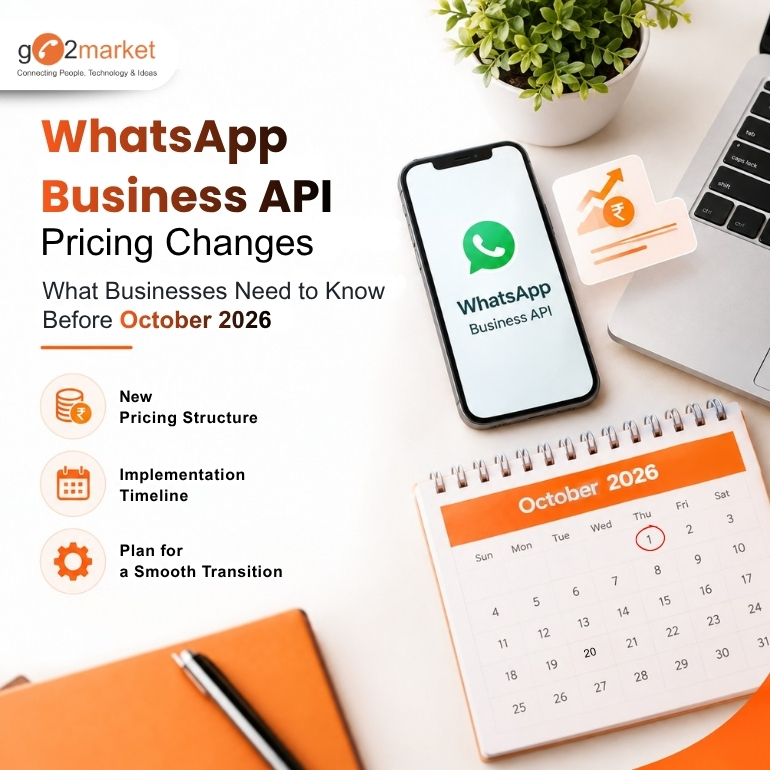
Sep
WhatsApp Business API has become an important communication channel for different types of businesses, helping them manage customer support, notifications, WhatsApp marketing campaigns and chatbot conversations.
As the adoption of WhatsApp Business API Platform has grown, Meta has periodically changed its pricing model. From July 2025, Meta moved from conversation-based pricing to per-message pricing for WhatsApp business API, and now from October 1, 2026, service messages will also become chargeable.
Read this go2market blog to understand how you need to revise your WhatsApp strategy, chatbot workflows and messaging strategy to help you plan better for the new WhatsApp Business API pricing structure.
What Is Changing From October 1, 2026?
Today, a business can send non-template service messages for free within an open Customer Service Window (CSW). Meta's documentation states that non-template messages are free within an open CSW.
From October 1, 2026, service messages will be charged per delivered message. Utility template messages sent within an open CSW will also become chargeable.
If your business uses a WhatsApp Business API platform for customer support, chatbots or automated replies, your messaging costs could increase from October 2026.
It is worth reviewing:
Meta's pricing calendar also allows pricing updates on the first day of a quarter, meaning businesses should expect pricing to evolve over time.
CSW = Customer Service Window
When a customer messages a business, a 24-hour customer service window opens. During this window, businesses can respond using service messages without template approval. From October 1, however, these service replies will be chargeable.
For example:
Customer: “Where is my order?”
Business: “Your order has been shipped and will arrive tomorrow.”
The business reply is a service message.
A typical automated customer journey looks like:
Customer sends message → Chatbot identifies the query → Business system processes the request → WhatsApp sends the response
For example:
Businesses will need to consider these automated responses into their WhatsApp communication costs.
Template messages are pre-approved messages used when businesses need to proactively reach customers or communicate outside an open CSW. They are categorized as:
Marketing – promotions, offers and campaigns
Utility – order updates, reminders and account-related notifications
Authentication – OTPs and verification messages
Template messages are the only message type that can be sent outside a customer service window.
FEP = Free Entry Point Window
A qualifying Free Entry Point (FEP) window can make messages free for 72 hours, including template messages.
This is different from the regular 24-hour CSW.
What Should Businesses Do Now?
WhatsApp remains a powerful channel for customer communication. The key is to build efficient customer journeys that provide useful responses while avoiding unnecessary message exchanges.
Reviewing your chatbot flows, WhatsApp templates and messaging volumes now can help your business plan better for the October 1, 2026 WhatsApp Business API pricing change.
Go2Market helps businesses implement and manage WhatsApp Business API solutions, including templates, campaigns, chatbots and customer communication workflows. To connect with our team, call us at 85 95 08 08 08 or request demo @ https://go2market.in/request-a-demo
Follow Us