 APIs (2)
 Bulk SMS (19)
 Click to Call (4)
 Cloud Call Center (13)
 WhatsApp Business API (3)
 Cloud Telephony (23)
 DLT (4)
 IVR (5)
 Missed Call (3)
 Mobile Cloud Call Center (2)
 Outbound Calling Service (3)
 Political Campaigns (14)
 Toll Free Number (5)
 Voice Broadcasting Service (14)
 Zoho CRM (1) WhatsApp (31)
 RCS SMS(5)
 LMS(2)
 140 and 1600 Series(8)
 Omnichannel(1)
 AI Solutions(2) APIs (2) Bulk SMS (19) Click to Call (4) Cloud Call Center (13) Whats AppBusiness API (3) Cloud Telephony (23) DLT (4) IVR (5) Missed Call (3) Mobile Cloud Call Center (2) Outbound Calling Service (3) Political Campaigns (14) Toll Free Number (5) Voice Broadcasting Service (14) Zoho CRM (1) WhatsApp (31) RCS SMS(5) LMS(2) 140 and 1600 Series(8) Omnichannel(1) AI Solutions(2)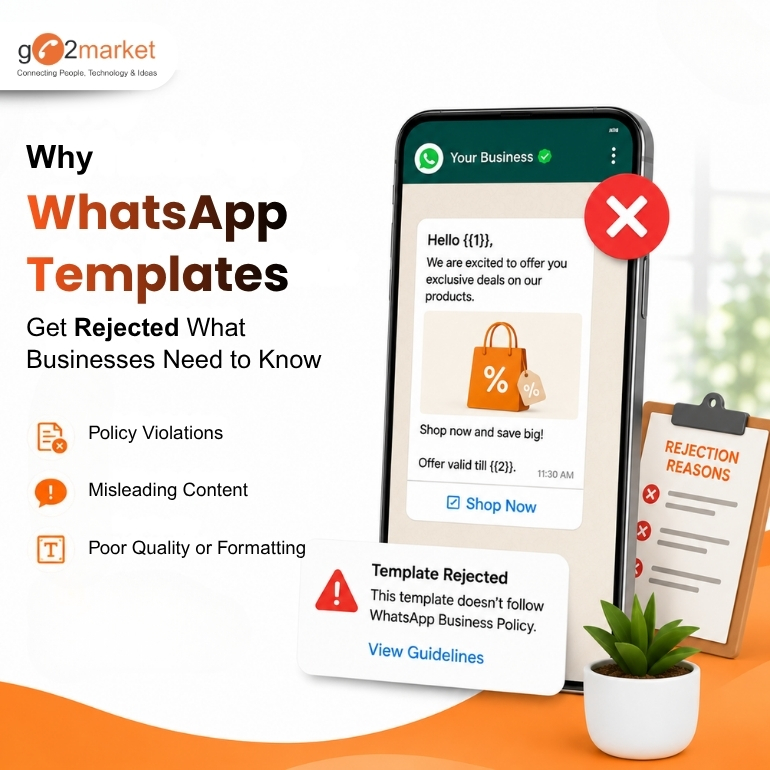
Jun
WhatsApp Business has become one of the most effective communication channels for businesses. Whether you're sending promotional offers, order updates, payment reminders, or OTPs, every outbound WhatsApp message starts with an approved template.
However, many businesses are surprised when their templates get rejected and often assume their WhatsApp service provider is responsible. The reality is that WhatsApp template approvals are handled directly by Meta, not by your WhatsApp Business Solution Provider.
Understanding how the approval process works can help businesses create compliant templates and launch campaigns faster. Read this blog by go2market to to understand WhatsApp template approval process and Meta's template/content guidelines.
A WhatsApp Business Solution Provider like Go2Market can help businesses create templates, suggest the appropriate category, and ensure the content follows Meta's guidelines. However, the final approval decision is always made by Meta.
What Your BSP Can Help With
What Your BSP Cannot Control
Understanding why templates get rejected can significantly improve approval rates.
1. Wrong Template Category
Meta classifies templates into Marketing, Utility, and Authentication categories. If a template contains promotional content but is submitted as a Utility template, it may be rejected or automatically recategorized.
2. Promotional Content in Utility Templates
A common mistake is including discounts, offers, or sales messages in transactional templates. Utility templates should only contain information related to an existing transaction, order, or service.
3. Unclear or Incomplete Message Content
Templates should clearly communicate their purpose. Vague messages or placeholders without context may trigger rejection.
4. Misleading or Non-Compliant Language
Messages that contain misleading claims, excessive capitalization, spam-like language, or content that violates Meta's policies may not be approved.
5. Formatting Issues
Incorrect variable placement, missing sample values, or poorly structured templates can delay approvals or result in rejection.
In conclusion, we can say that WhatsApp template approvals are not controlled by WhatsApp BSP, but totally controlled by Meta. The best way to improve template approval rates is to create clear, compliant, and properly categorized templates that provide value to customers. By understanding Meta's guidelines and working with an experienced WhatsApp Business Service Provider, businesses can avoid unnecessary rejections and launch campaigns more efficiently.
Go2Market helps businesses create compliant WhatsApp templates, manage approvals, and build high-performing WhatsApp campaigns using the WhatsApp Business API. Connect with our team @ 8595080808 to get started today or visit us at @ https://go2market.in/contact
Follow Us