 APIs (2)
 Bulk SMS (19)
 Click to Call (4)
 Cloud Call Center (13)
 WhatsApp Business API (3)
 Cloud Telephony (23)
 DLT (4)
 IVR (5)
 Missed Call (3)
 Mobile Cloud Call Center (2)
 Outbound Calling Service (3)
 Political Campaigns (14)
 Toll Free Number (5)
 Voice Broadcasting Service (14)
 Zoho CRM (1) WhatsApp (31)
 RCS SMS(5)
 LMS(2)
 140 and 1600 Series(8)
 Omnichannel(1)
 AI Solutions(2) APIs (2) Bulk SMS (19) Click to Call (4) Cloud Call Center (13) Whats AppBusiness API (3) Cloud Telephony (23) DLT (4) IVR (5) Missed Call (3) Mobile Cloud Call Center (2) Outbound Calling Service (3) Political Campaigns (14) Toll Free Number (5) Voice Broadcasting Service (14) Zoho CRM (1) WhatsApp (31) RCS SMS(5) LMS(2) 140 and 1600 Series(8) Omnichannel(1) AI Solutions(2)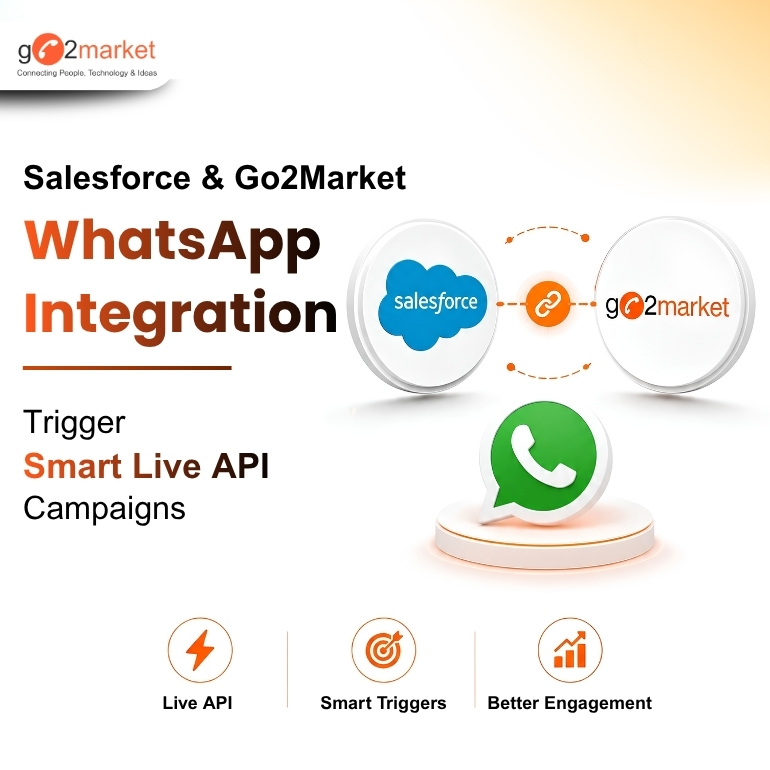
Aug
Salesforce CRM stores valuable customer and sales data. WhatsApp is where customers are more likely to see and respond to messages. By integrating Salesforce CRM with WhatsApp Business API, businesses can connect customer data with real-time communication and create more efficient sales and customer engagement workflows.
With Go2Market's WhatsApp Business API and Salesforce integration, businesses can trigger WhatsApp messages based on CRM workflows and manage customer conversations more efficiently. Read this go2market blog to understand how this integration helps business manage customer communication better.
Connect Salesforce CRM with Go2Market WhatsApp Business API
Bring customer data and WhatsApp communication together without switching between multiple platforms.
Businesses can:
This helps teams respond faster and deliver more relevant communication at every stage of the customer journey.
Trigger WhatsApp API Campaigns from Salesforce Workflows
One of the biggest advantages of integrating Salesforce CRM with WhatsApp Business API is the ability to automate communication based on CRM events.
For example, businesses can trigger WhatsApp messages when:
With Live API Campaigns, businesses can connect their systems and trigger personalized WhatsApp communication automatically when predefined workflows or events occur.
Personalize Customer Communication
Generic messages often fail to capture attention. Salesforce customer data can help businesses make WhatsApp communication more relevant.
Businesses can use available CRM information to:
The result is a more contextual customer experience and more meaningful conversations.
Manage WhatsApp Conversations More Smartly
Sales and support teams need visibility into customer conversations to provide faster and better responses.
With Go2Market's WhatsApp platform, businesses can manage conversations through features such as:
Teams can focus on active conversations while keeping previous chats organized and accessible.
Automate Customer Journeys with WhatsApp
Salesforce integration can work alongside Go2Market's other WhatsApp capabilities to create complete customer journeys.
Businesses can combine:
This allows businesses to connect CRM data, automation, campaigns and conversations through one WhatsApp communication ecosystem.
In conclusion to this blog, we can say that Integrating Salesforce CRM with Go2Market's WhatsApp Business API enables businesses to automate customer communication, trigger WhatsApp campaigns directly from CRM and deliver personalized messages at every stage of the customer journey.
With features like Live API Campaigns, Shared Team Inbox and automated workflows, businesses can streamline sales, marketing and support operations while improving customer engagement, all from a single platform. To know more, Connect with Team Go2Market @ 9319173174 or visit us at https://go2market.in/whatsapp-business-api-solution
1. Can Go2Market integrate WhatsApp Business API with Salesforce CRM?
Yes. Go2Market offers seamless Salesforce CRM integration, allowing businesses to automate WhatsApp communication and manage customer conversations from their existing CRM.
2. Can WhatsApp messages be triggered automatically from Salesforce workflows?
Yes. Businesses can use Live API Campaigns to trigger WhatsApp messages automatically based on CRM events such as new leads, status changes, follow-ups, or order updates.
3. Can multiple teams manage WhatsApp conversations?
Yes. The Shared Team Inbox allows sales, marketing, and support teams to collaborate, assign chats, and manage customer conversations from a centralized dashboard.
4. How long does it take to integrate Salesforce with Go2Market's WhatsApp Business API?
The integration is quick and straightforward. Most businesses can get started within a few days, depending on their Salesforce setup and WhatsApp Business API onboarding process.
Follow Us